BlackICE Server Panel#
This project was developed primarily with AI tools and reviewed and tested by its human maintainer. It started as a private project and was later opened to the community. There has been no independent security audit. Operators remain responsible for their deployment; code reviews, improvements and bug reports are welcome. Please report sensitive security findings through private GitHub security reports, and ordinary bugs through Issues.
Unofficial dashboard for one BlackICE / REServer instance: server controls, live console and logs, bundle management, multiple users with individual permissions, English/German localization, protected setup, official server installation and a Cyberpunk-inspired interface.
Screenshots#
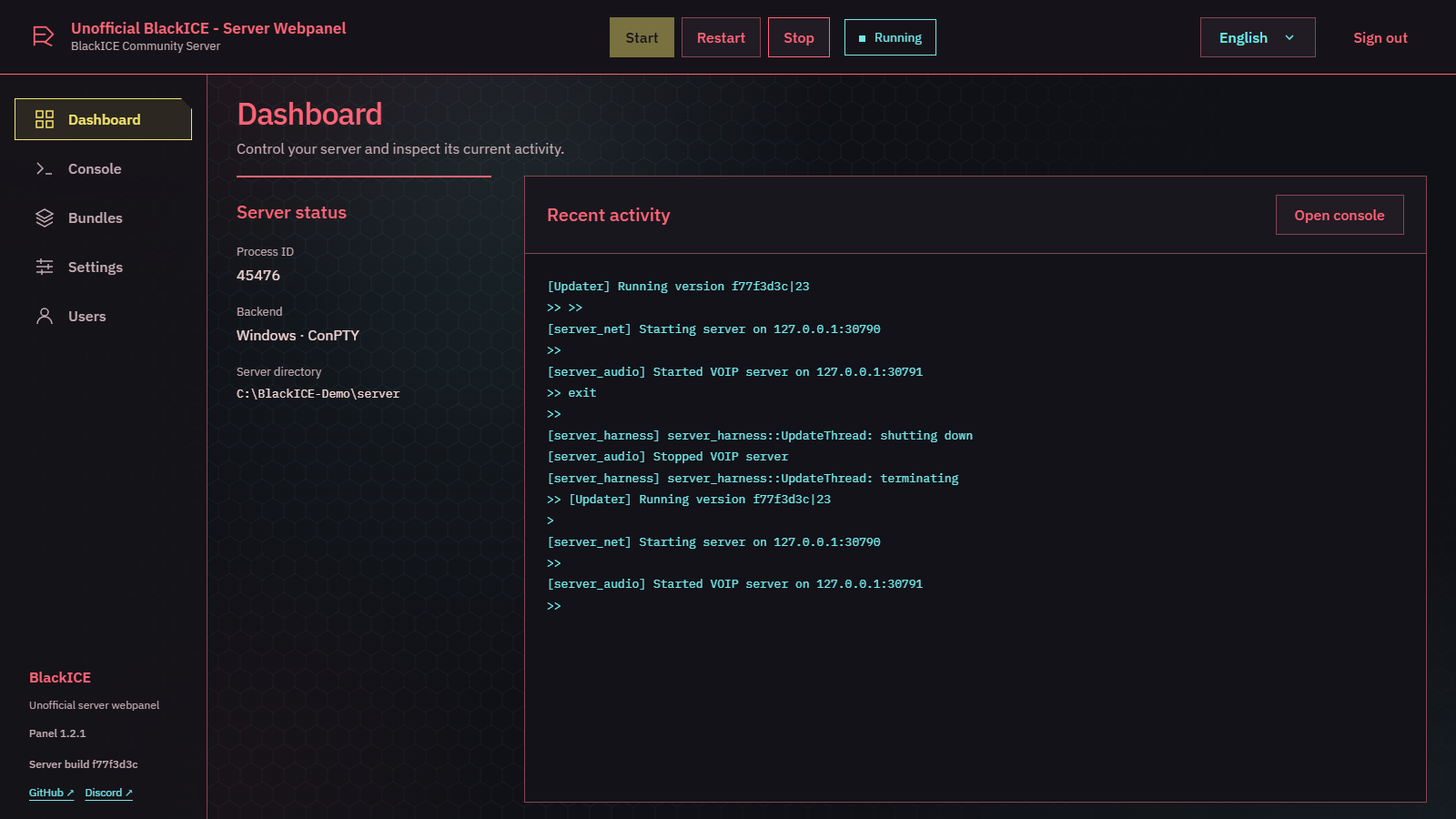 |
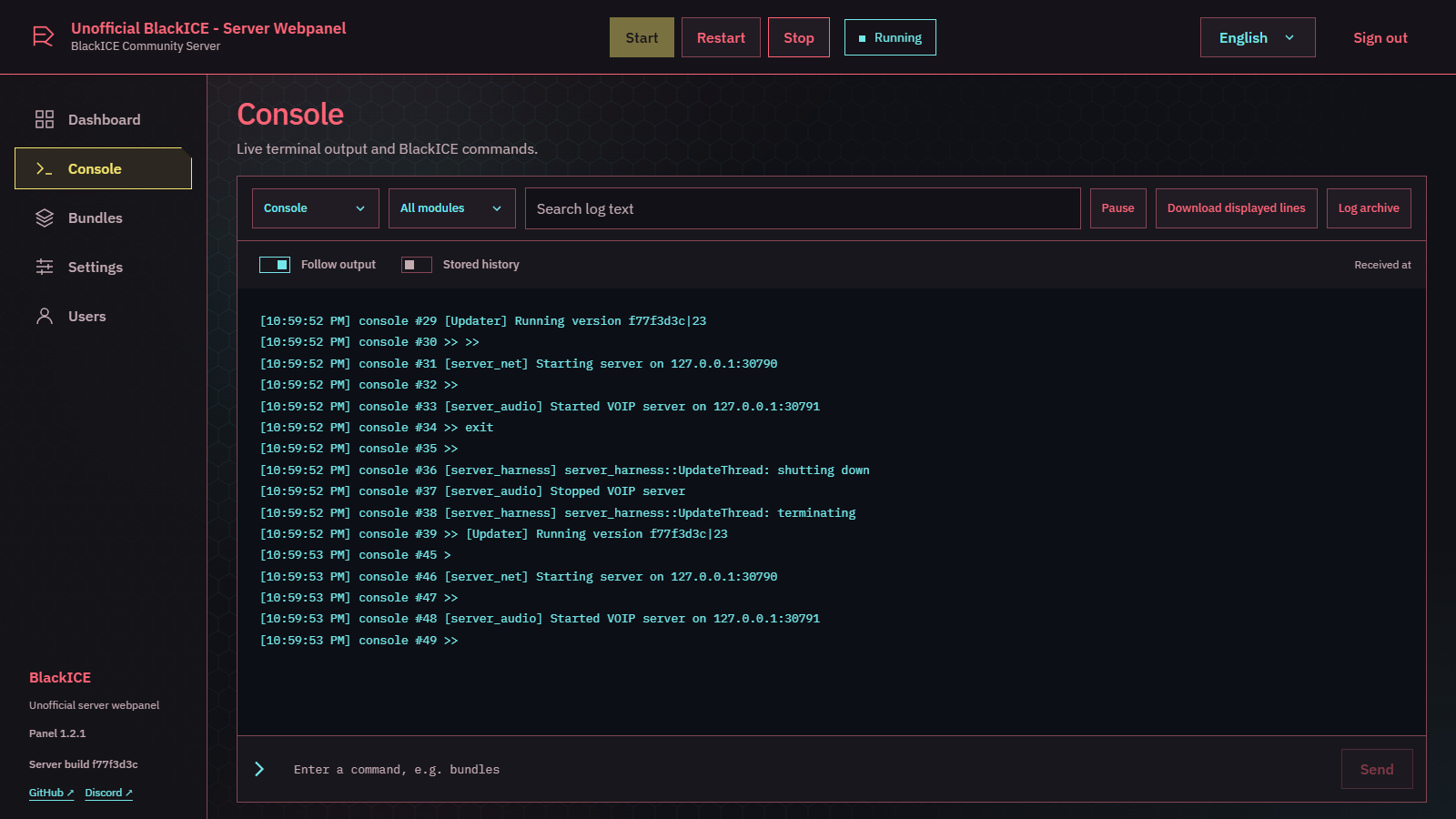 |
| Dashboard: status, controls and recent activity | Live console: output, filters and commands |
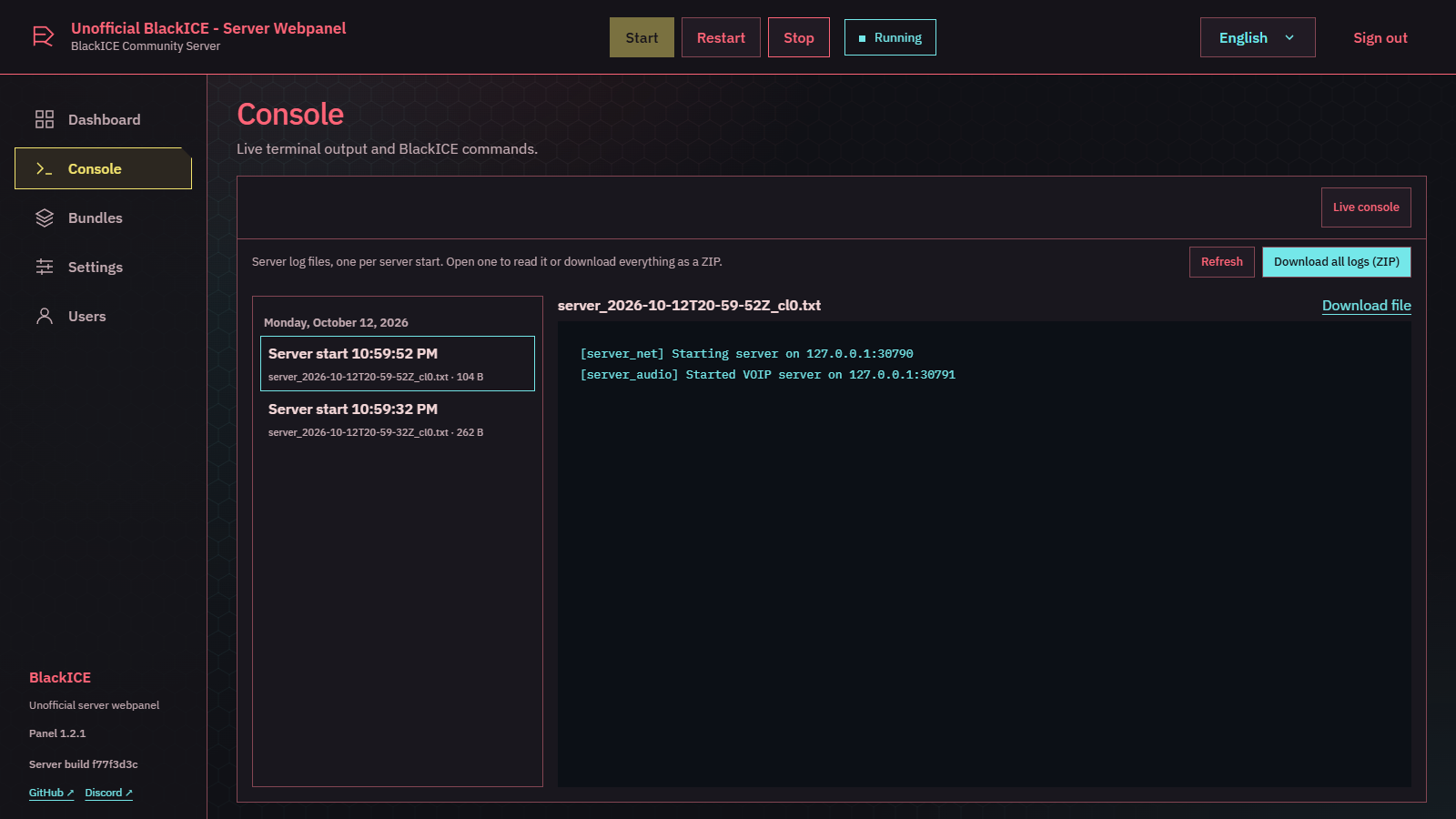 |
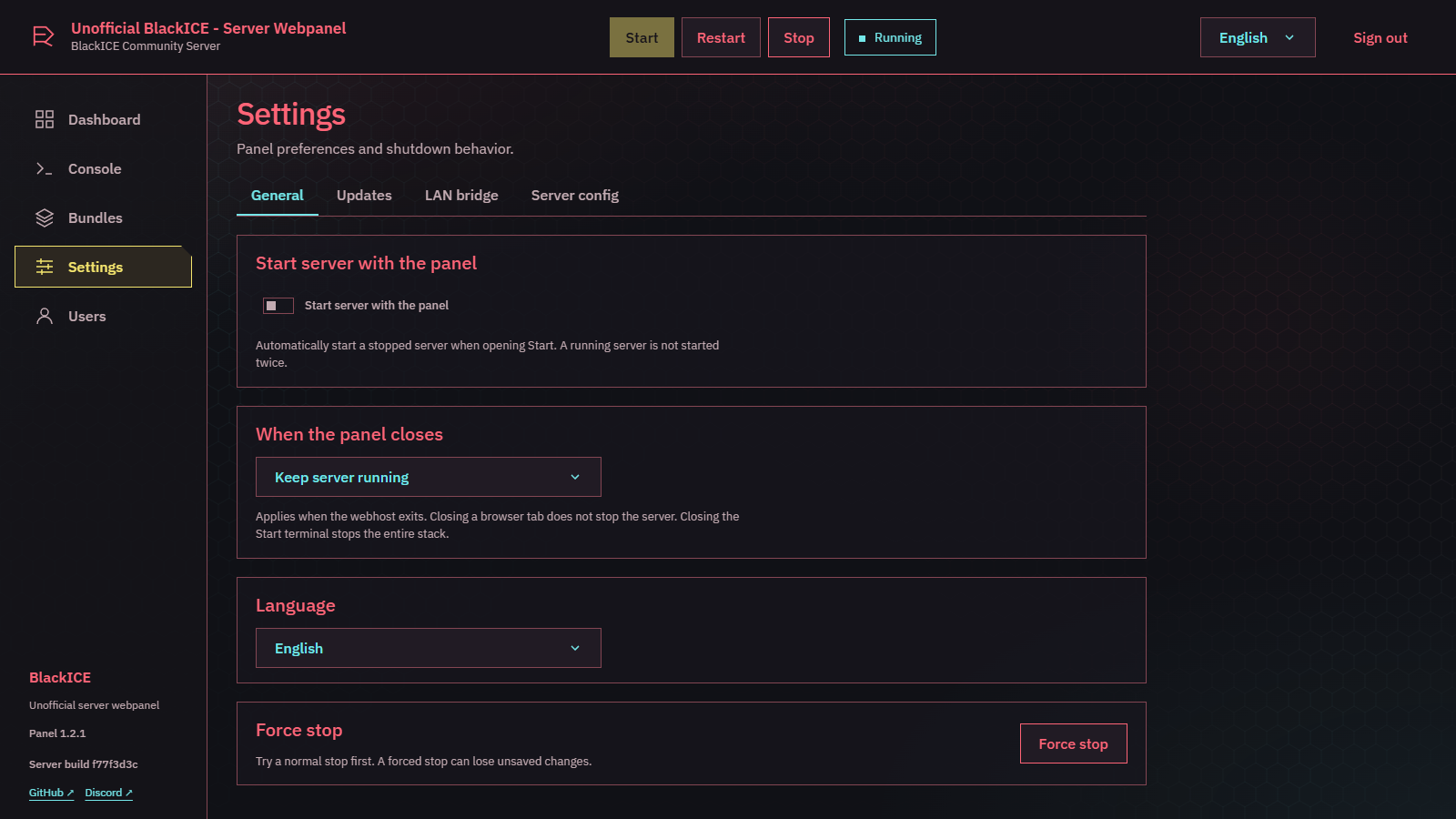 |
| Log archive: one log per server start, ZIP download | Settings: autostart, shutdown behavior and language |
 |
 |
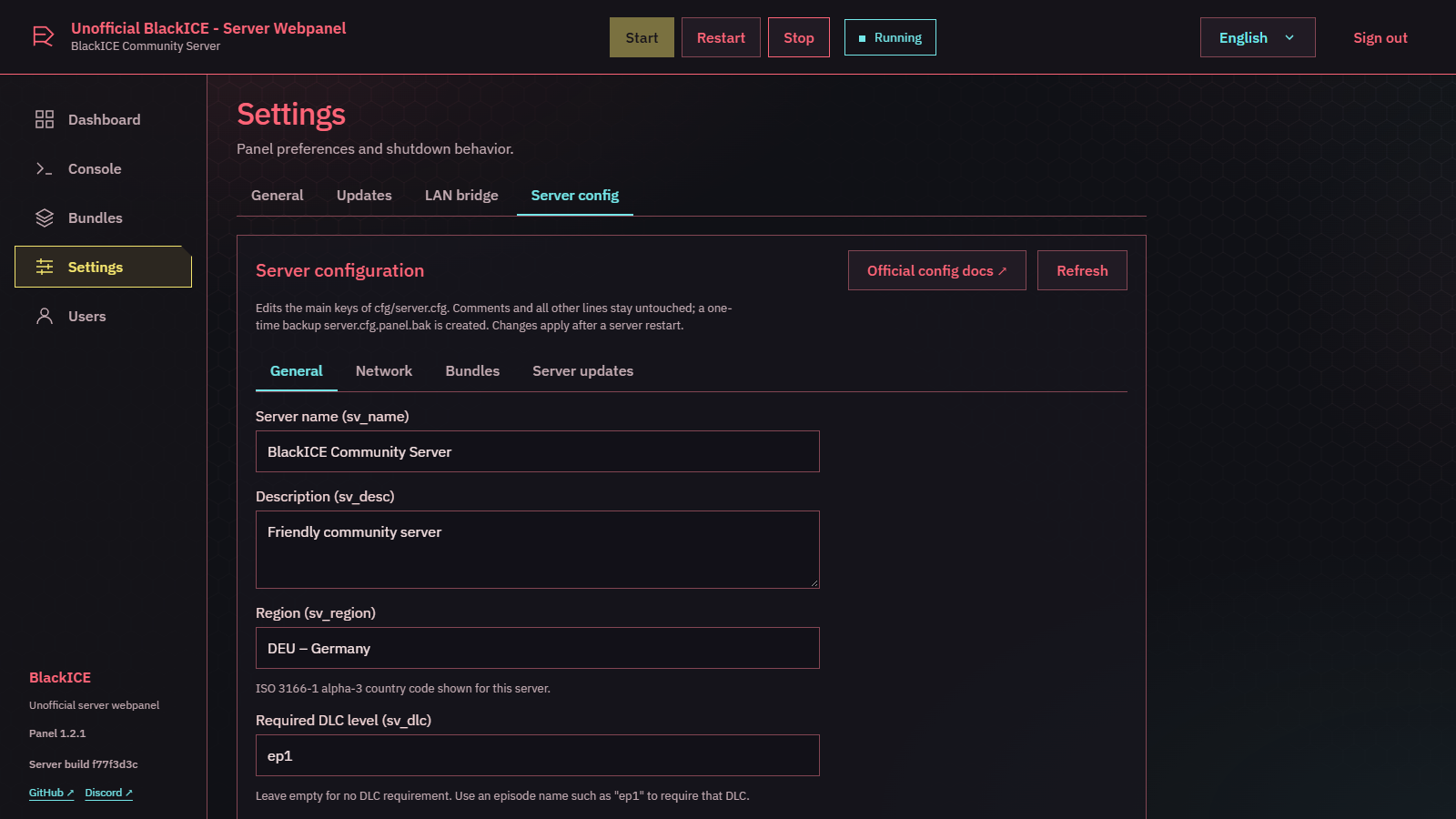
Server configuration: edit server.cfg incl. region list |
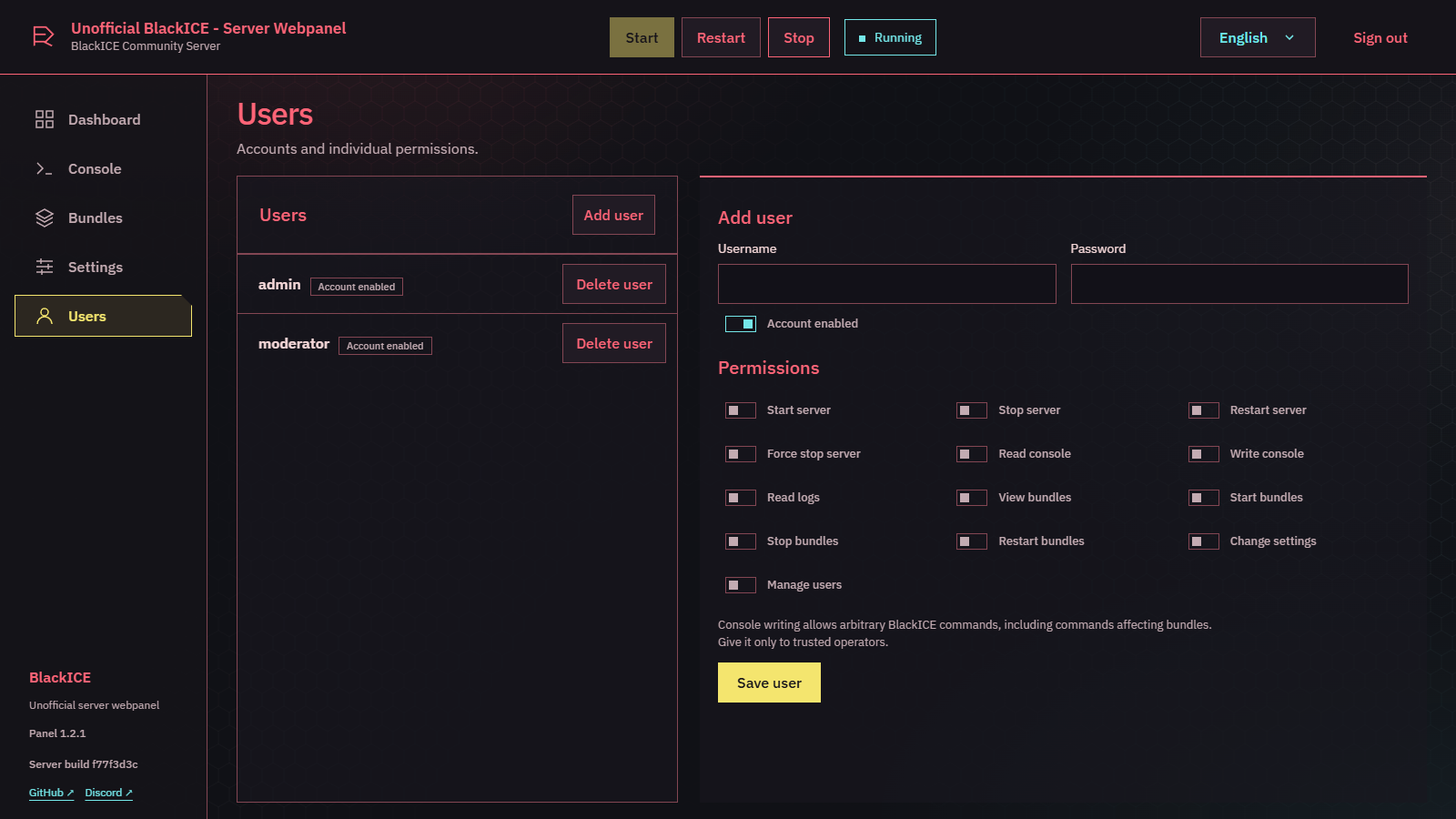
Users: accounts and individual permissions |
 |
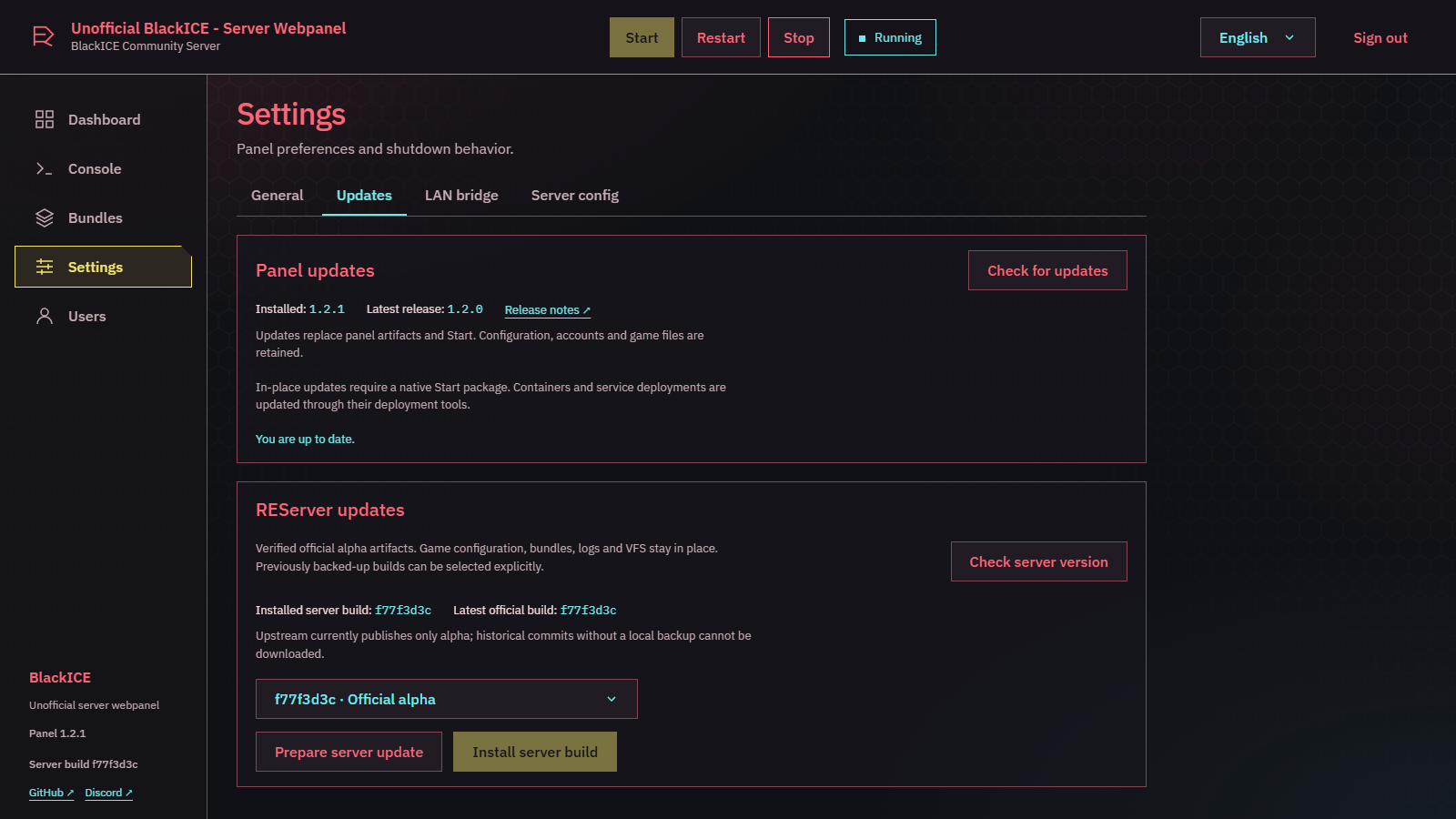 |
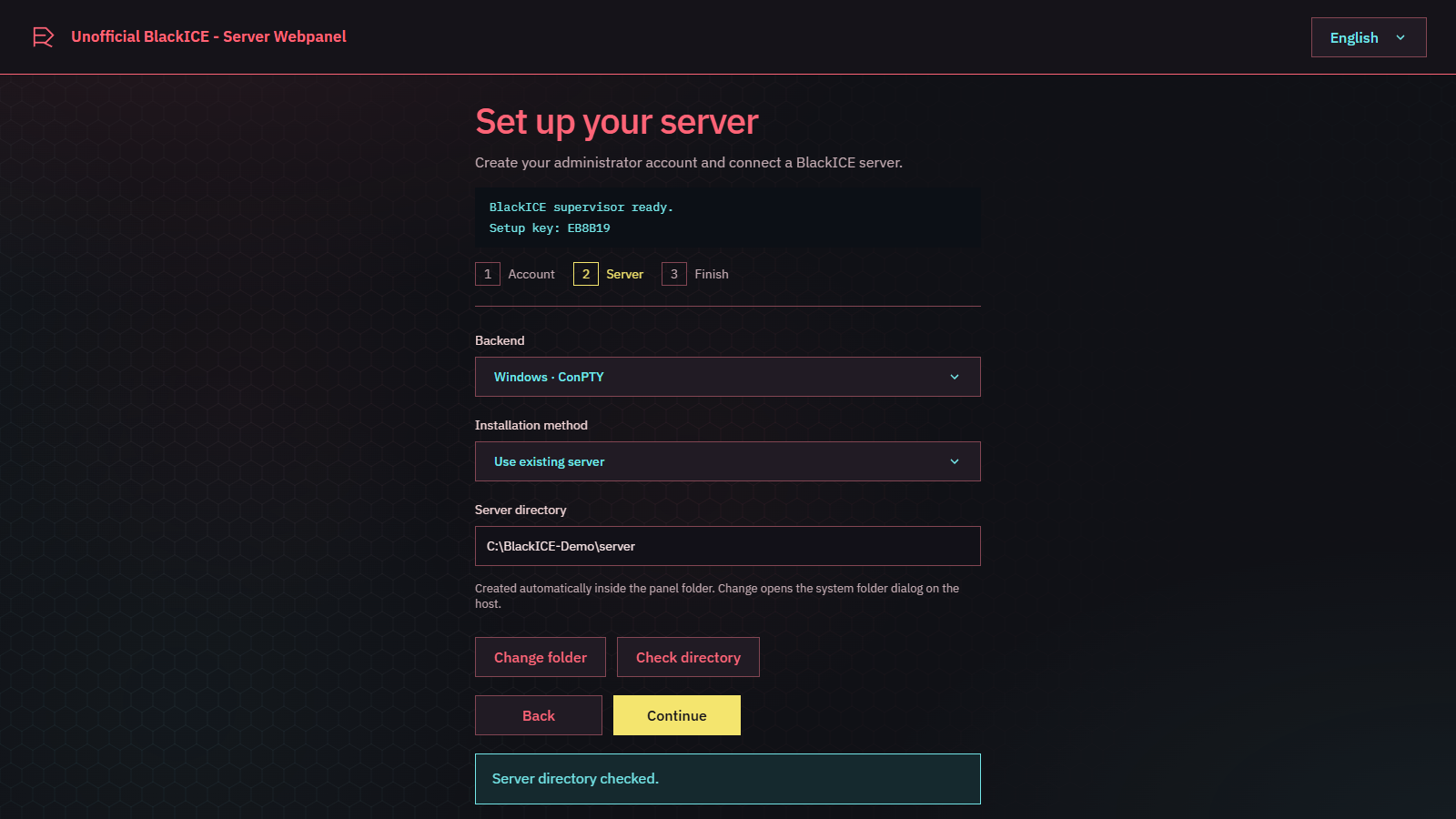
| Setup wizard: guided first-time setup | Updates: panel and REServer builds |
Windows#
- Download
blackice-server-panel-win-x64.zipand extract into a writable folder separate from the game server. - Open
Start.exeand keep its control terminal open. - Open http://127.0.0.1:20772. Read the setup key from the terminal or
.local/supervisor.log, create your administrator and choose an existing server or an empty directory for the official download.
Windows x86-64 is required; the .NET runtime is included. No SDK or Node.js is needed. The game opens a separate console. Closing it stops the game; closing Start, Ctrl+C or Q stops the whole stack. Automatic game startup is configurable under Settings.
Unsigned download (Windows)#
Start.exe and the other binaries are not code-signed, because this is a free community project without a paid signing certificate. Windows can therefore show warnings; this is expected and not a sign of malware by itself:
- SmartScreen: "Windows protected your PC": click More info, then Run anyway.
- Downloaded ZIP is blocked: right-click the ZIP, open Properties, tick Unblock and press OK before extracting. Otherwise every extracted file carries the "downloaded from the internet" mark.
- Antivirus false positives can happen with unsigned, self-contained executables. Only download from the official Releases page of this repository and, if you are unsure, build it yourself from source (docs/building.md); the whole code is open.
Native Linux#
Debian 13 x86-64 (glibc) is the reference platform. ARM and Alpine/musl are unsupported. Download blackice-server-panel-linux-x64.tar.gz, then:
sudo apt update
sudo apt install ca-certificates libicu76 libssl3t64 libstdc++6 zlib1g tmux
mkdir -p ~/blackice-panel
tar -xzf blackice-server-panel-linux-x64.tar.gz -C ~/blackice-panel
cd ~/blackice-panel
chmod +x Start
./Start
Complete setup at localhost:20772 as above. .NET and the PTY helper are included; the official server installer requires no Docker daemon. Over SSH the game console uses tmux: C attaches, Ctrl+B then D detaches. Desktop users should install xterm for separate windows. Services and library checks.
Docker on Linux#
Requires x86-64 Linux, Docker Engine and Compose v2. Extract a native release package for deploy/, and download blackice-server-panel-docker.tar.gz from the same release.
gzip -dc blackice-server-panel-docker.tar.gz | docker load
cp deploy/compose.env.example .env
sudo mkdir -p /srv/blackice-panel/state /srv/blackice-panel/runtime /srv/blackice-server
sudo chown 10001:10001 /srv/blackice-panel/state /srv/blackice-panel/runtime /srv/blackice-server
sudo chmod 700 /srv/blackice-panel/state /srv/blackice-panel/runtime /srv/blackice-server
stat -c %g /var/run/docker.sock
Edit .env: set PANEL_STATE=/srv/blackice-panel/state, PANEL_RUNTIME=/srv/blackice-panel/runtime, SERVER_PATH=/srv/blackice-server, DOCKER_GID to the printed socket group ID, and set PANEL_VERSION to the version of the Docker archive you downloaded (for example 1.4.0). Then:
docker compose --env-file .env -f deploy/compose.yaml up -d
docker compose --env-file .env -f deploy/compose.yaml logs supervisor
Open localhost:20772, use the logged setup key, select Docker and /server. Only the Supervisor receives the powerful Docker socket; Webhost does not. Game files and panel state persist in host directories. Stop with docker compose --env-file .env -f deploy/compose.yaml down. Docker details.
Operation and updates#
Settings → General can check and save a moved native server directory while the server is stopped. Missing directories/executables are shown in the global header and block Start/Restart. No files are moved. Docker mounts are changed through deployment.
- Header: status, Start, Restart and Stop. Graceful Stop waits up to 30 seconds; Force Stop is separate. Bundle actions wait for server confirmation.
- Users: individual rights for server controls, console, logs, bundles, settings and account administration. Give console-write access only to trusted operators.
- Settings → Panel updates: stable GitHub releases, SHA-256 verification, installation/restart, backup and startup-failure rollback. Configuration, accounts and game files remain. Native Start installations support installation; Docker/systemd use deployment tools. 0.5.1 → 1.0 needs one manual package replacement following the repository rename; preserve
.local/. Updates and recovery. - Closing a browser tab stops nothing.
keep-running/stop-servercontrols Webhost shutdown; closing Start always stops the whole stack. Externally started servers are detected, preventing duplicate starts; their console cannot be taken over. - Ports: game/bundle downloads 20770 TCP/UDP, voice 20771 TCP/UDP, dashboard 20772 TCP on localhost. For remote access use the documented HTTPS proxy settings.
- Back up
.local/and your game-server directory. New server downloads use LAN mode and disabled automatic server updates. Public game servers require official registration.
Update channel#
By default the panel only follows stable releases. In Settings → Updates you can switch to the Experimental channel to receive pre-releases (vX.Y.Z-experimental.N) with new, unfinished features; see docs/updates.md. Stable is recommended for production servers.
Experimental Bundle Tools#
The experimental channel adds compiled-bundle uploads, trusted source projects and builds, shared Git-provider accounts, repository discovery and review workflows. It is disabled by default. Grant its separate settings/tool/account/build permissions only to trusted operators; builds execute project code on the panel host. Bundle Tools and security boundaries.
Server updates and bridge diagnostics#
REServer updates are now available in Settings: check official alpha, verify/download files and install with runtime backup and startup rollback. Select current alpha or a locally backed-up previous build. Server update guide.
Optional LAN bridge adds server health, phases, commit/tick information, correlated console output and cursor-based module logs. Enable it in Settings and explicitly restart. --mcp forces sv_lan 1; public servers keep PTY. History is local, defaults to seven days / 100 MB, and is configurable. Bridge setup and compatibility.
Development#
.NET SDK 10 and Node.js 24; Linux also requires a C compiler and tmux. Exact build commands and troubleshooting · Architecture and development · Permissions. Bridge protocol and adapted components credit blackice-mcp by REPLAY.re, MIT; see third-party notices. Windows/Linux CI verifies backends, authentication, setup, bundle operations, launcher shutdown and update rollback. Docker CI exercises real server installation.
Links and credits#
BlackICE by REPLAY.re · Official docs · Official account/server panel · Forum
MIT community project; not affiliated with or endorsed by REPLAY.re, BlackICE or CD PROJEKT RED. Original Cyberpunk-inspired UI; visual reference, whose artwork is not distributed.
Experimental Bundle Tools now include branch comparisons and review/direct merges, package-update review branches, categorized bundle search, reversible auto-start controls and explicit deletion scopes. See Bundle Tools and permissions.